Read what your AI agents write.
Coding agents write their plans, specs and notes in Markdown. ReadMarkdown shows them the way they are meant to be read, and updates the page live while your agent works.
Front matter as a table
In files like SKILL.md, just like on GitHub.
Mermaid diagrams
Drawn right in the page, sharp at every size.
Imports that link
@imports in CLAUDE.md link to the files they name.
Length notes
See when MEMORY.md, CLAUDE.md or SKILL.md is longer than its agent reads.
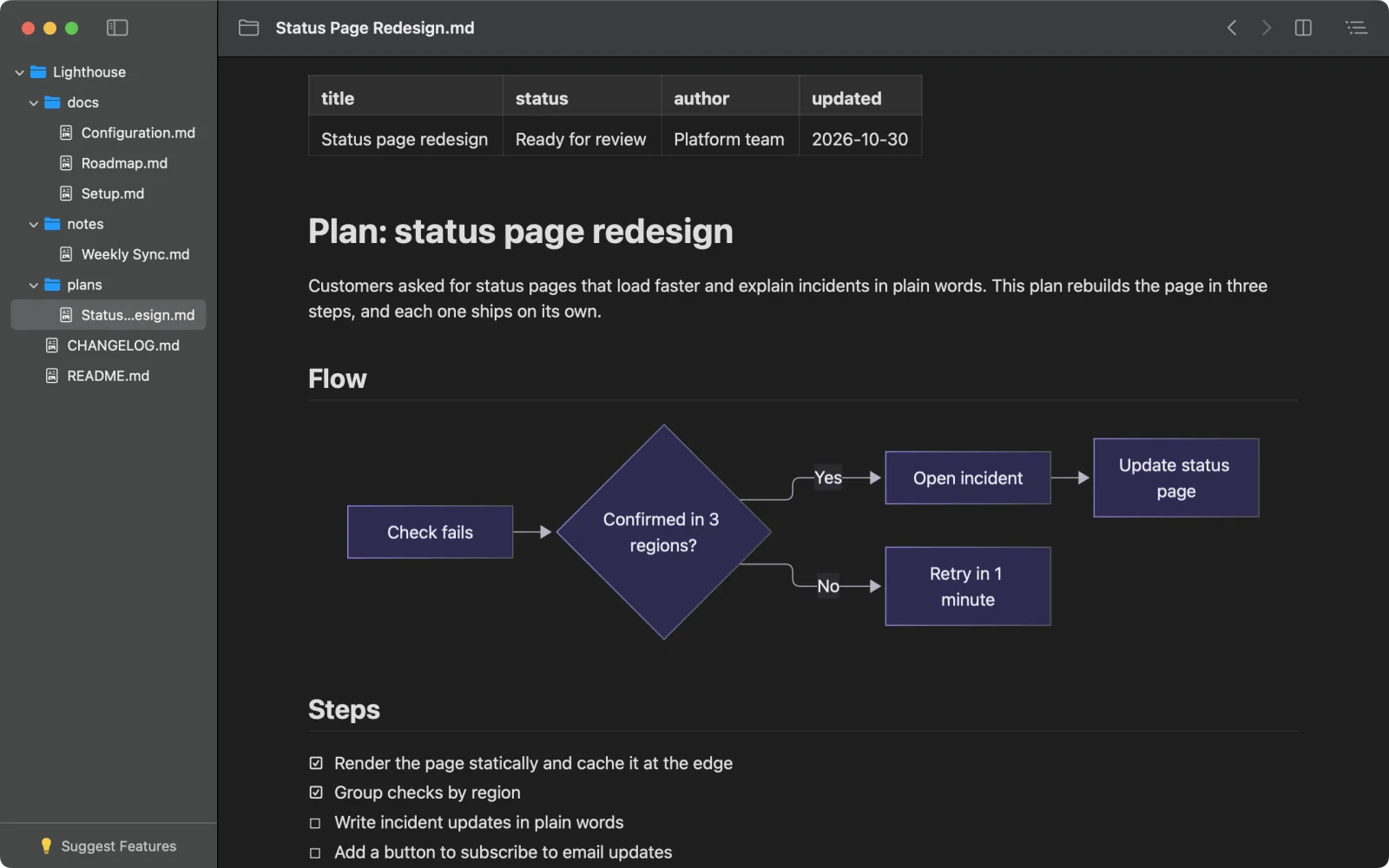
Open, read, edit.
No setup and no account. Open a file and start reading.
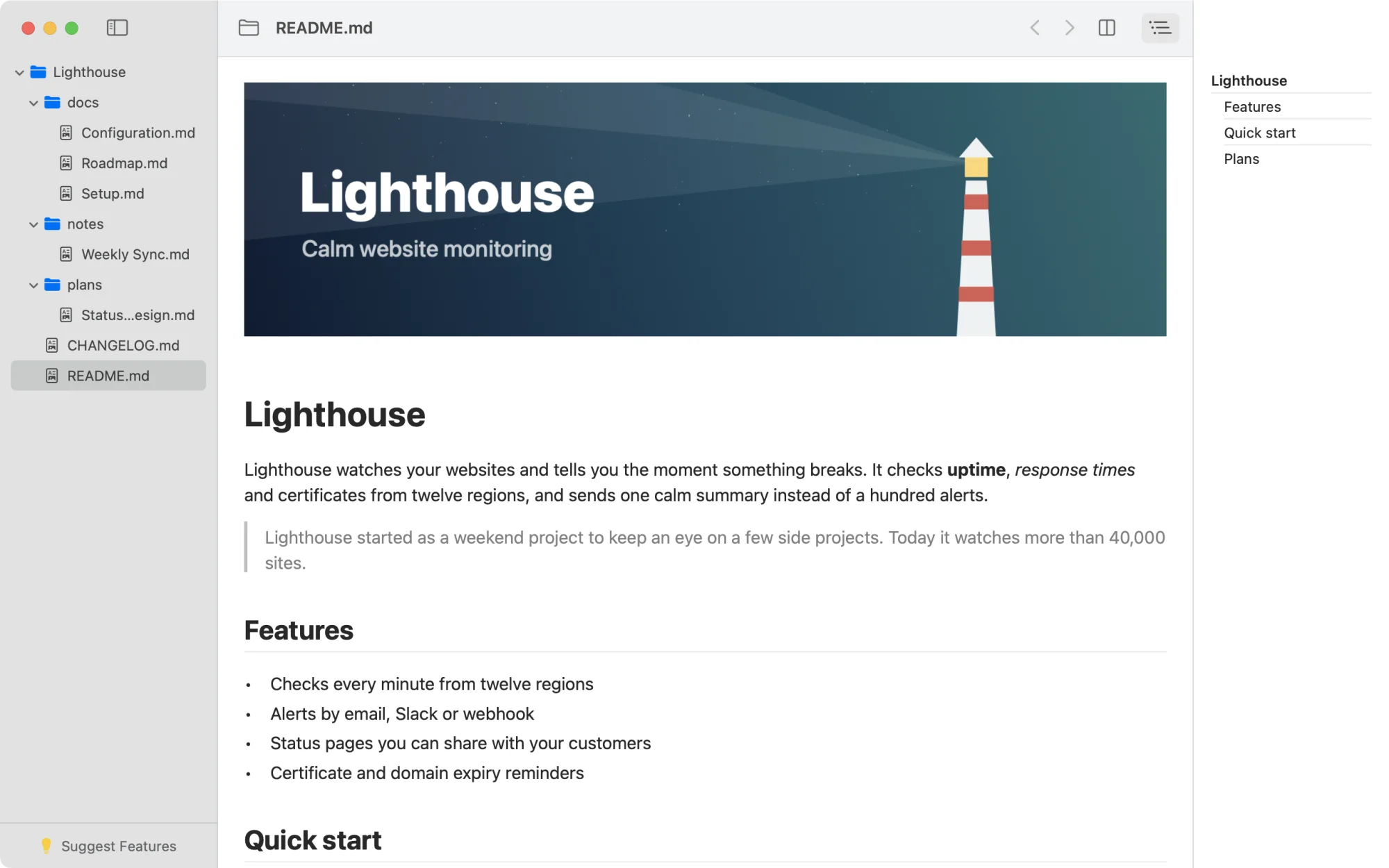
Open a file or a folder
Double click a file in Finder, drop it on the window, or open a whole folder to see every Markdown file in the sidebar.
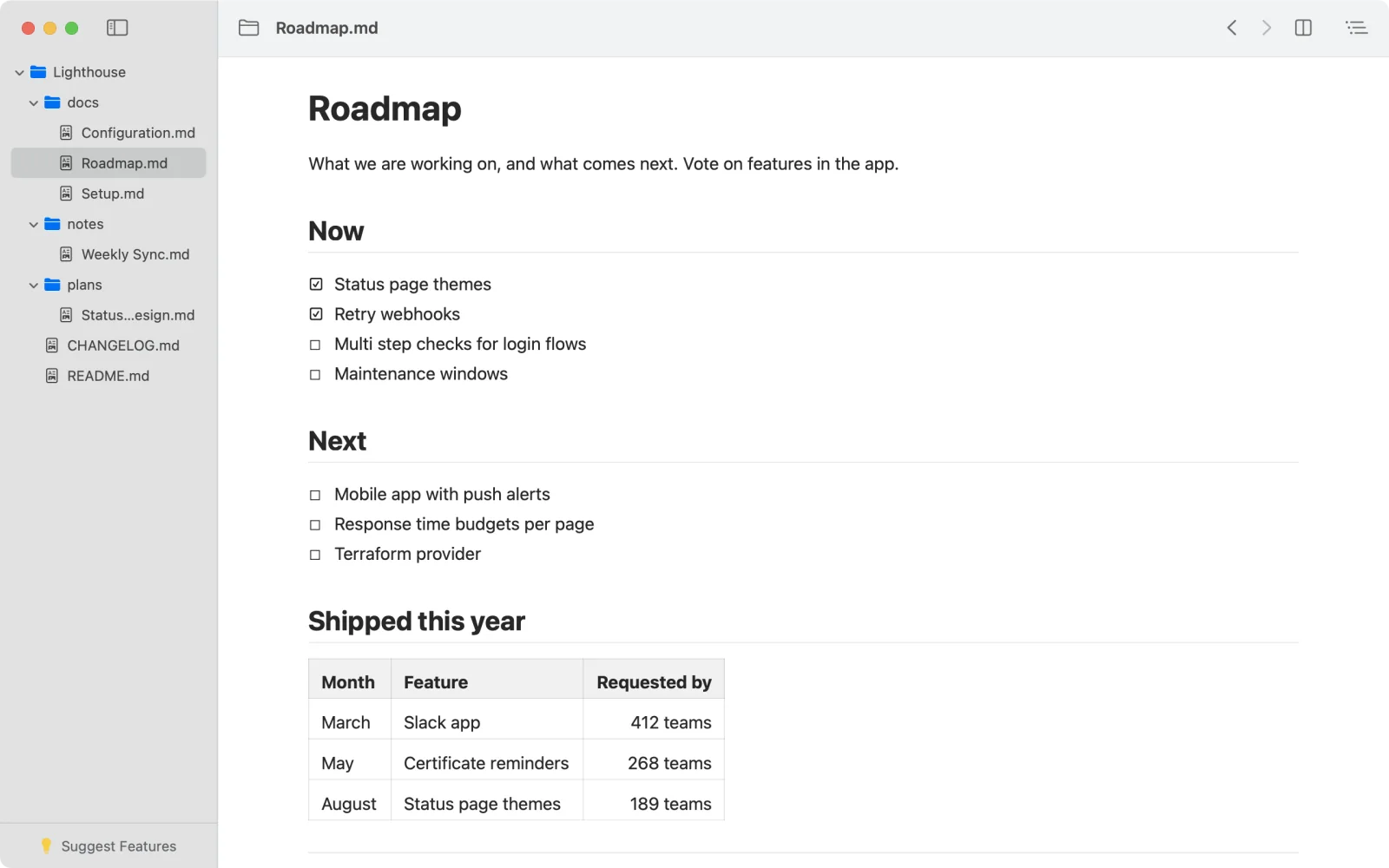
Read it beautifully rendered
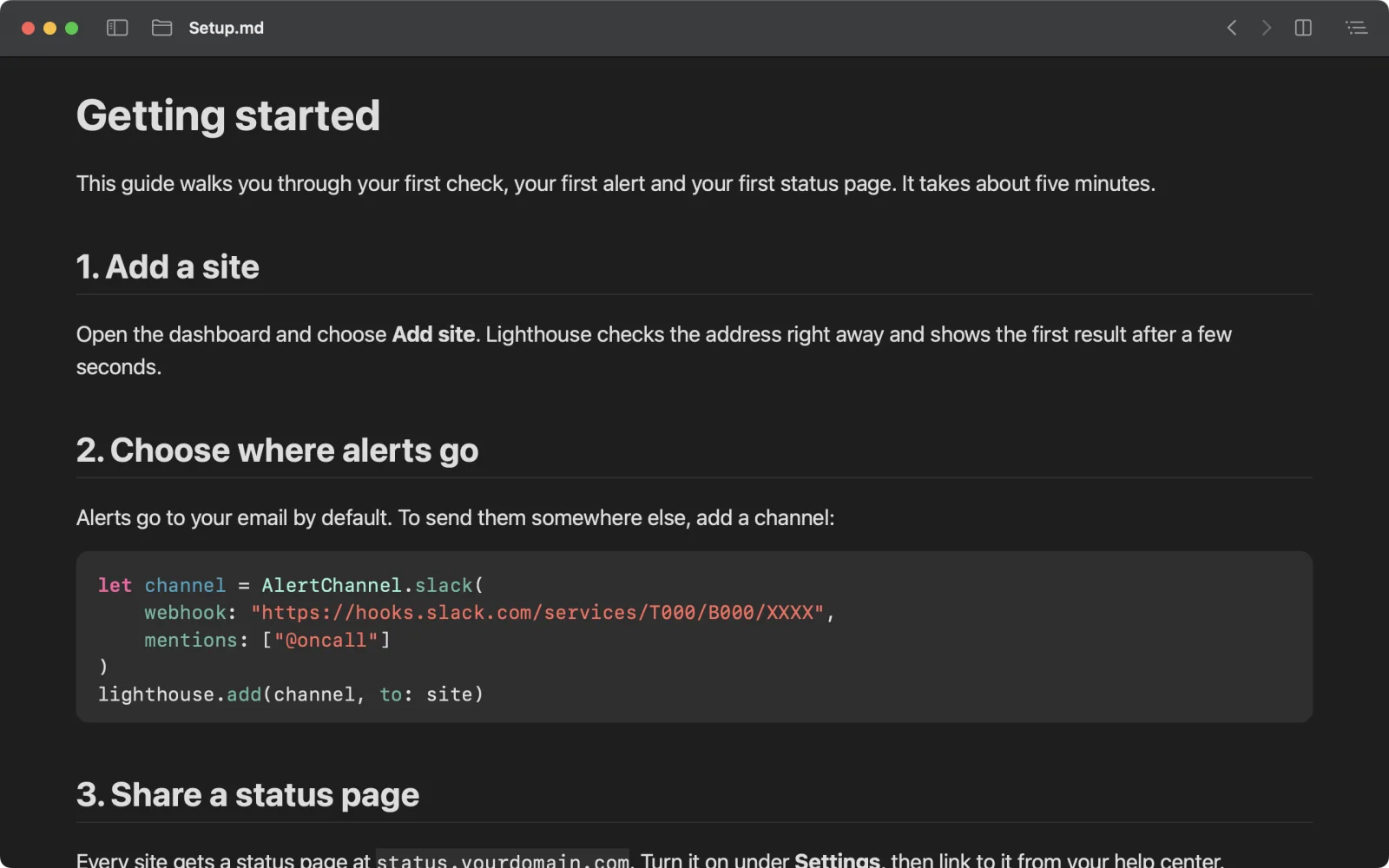
Tables, task lists, code and diagrams look the way they should, and the outline takes you to any heading.
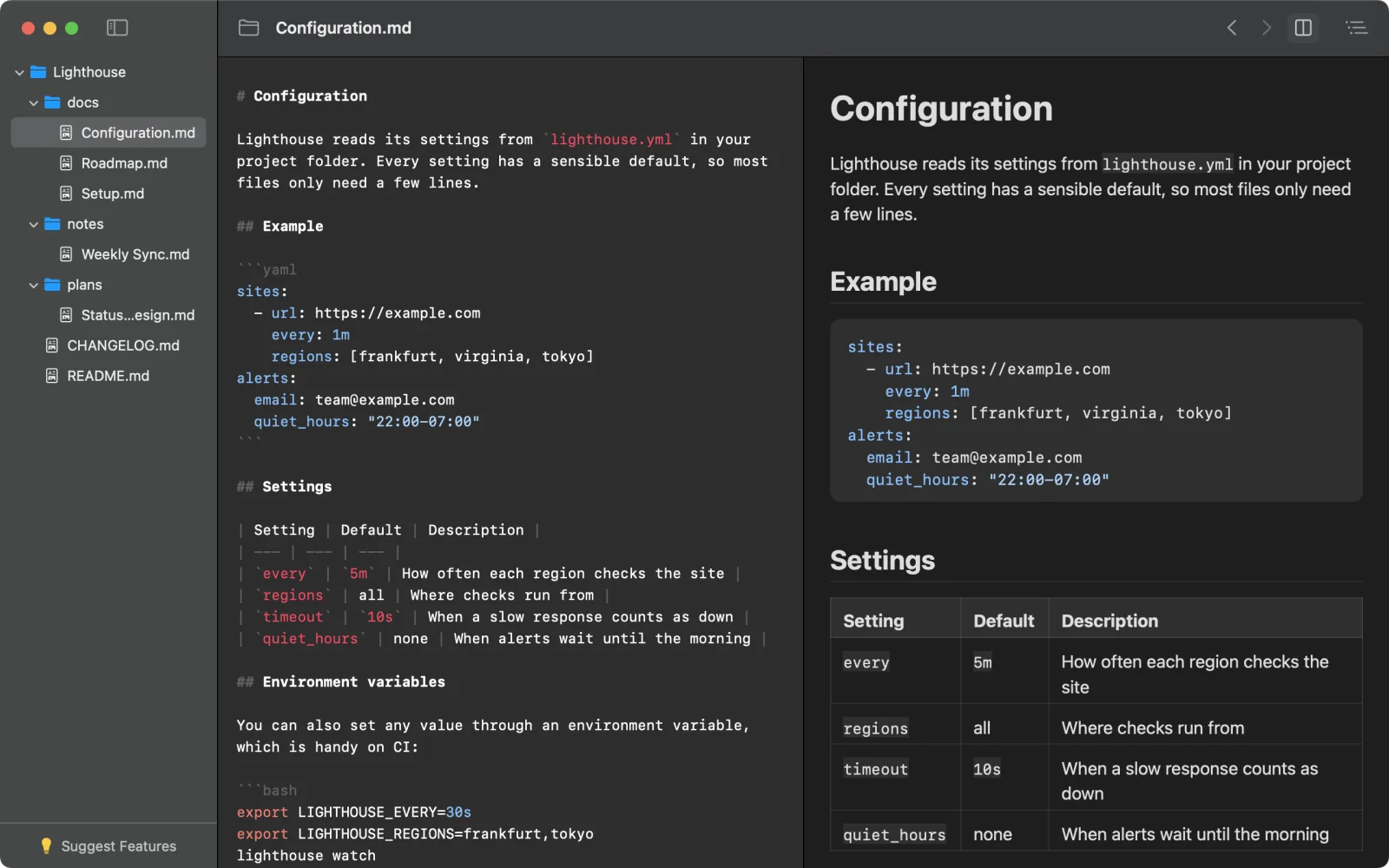
Edit next to a live preview
Press ⌥⌘E to open the editor. The preview follows as you type, and your changes save on their own.
Made for long reads.
Hide the sidebar and make the text as big as you like. ReadMarkdown only lays out what is on screen, so even big files open instantly.
- Bigger or smaller text with ⌘+ and ⌘−
- A reading width you choose
- An outline of every heading
- Light and dark mode
All the little things, done right.
Everything else you would want from a Markdown app on your Mac.
Quick Look
Select any Markdown file in Finder and press Space to preview it.
Links between files
Follow a link to another file, then go back and forward like in a browser.
Copy with formatting
Paste into Mail, Pages, Google Docs or Slack and keep the formatting. Or copy as Markdown or HTML.
Print and PDF
Print, or export to PDF with page numbers and clean page breaks.
Code, highlighted
More than 20 languages, with Swift and Objective-C in Xcode's colors. Copy any block with one click.
Heading links
Links to a heading jump right there, using the same anchors as GitHub.
Always up to date
When another app changes a file, ReadMarkdown shows the new version right away.
More than .md
MDC rules, MDX and Quarto files open too, and Open Recent brings back what you read last.
Your files stay on your Mac.
ReadMarkdown reads and saves your files on your Mac and never uploads them anywhere.
Only what you open
It reads only the files and folders you choose.
No account
Download it and start reading. There is nothing to sign up for.
No tracking
The app has no analytics and no ads.
Nothing from the web
Images from the internet are never loaded, and diagrams are drawn right on your Mac.
Questions, answered.
Is ReadMarkdown free?
Yes. ReadMarkdown is free on the Mac App Store, with no account, no ads and no in-app purchases.
Which files does it open?
Markdown files ending in .md or .markdown, plus MDC rules, MDX and Quarto files. You can also open a whole folder and browse every Markdown file in it.
Which version of macOS do I need?
macOS Sequoia 15.7 or later.
Can I edit files too?
Yes. Press ⌥⌘E or click the editor button in the toolbar to edit next to a live preview. Your changes save on their own.
Does ReadMarkdown upload my files?
No. Your files are read and saved on your Mac and never leave it. The app has no analytics, and it never loads images from the internet.
How do I suggest a feature?
Click Suggest Features at the bottom of the sidebar. You can ask for something new or vote on what others asked for, and help decide what comes next.
Stop squinting at raw Markdown.
Pound signs, asterisks and pipes hide what a plan really says. See it as a clean page and catch the wrong idea before your agent turns it into code.
Download on the Mac App StoreFree on the Mac App Store. No account needed.